
My Projects
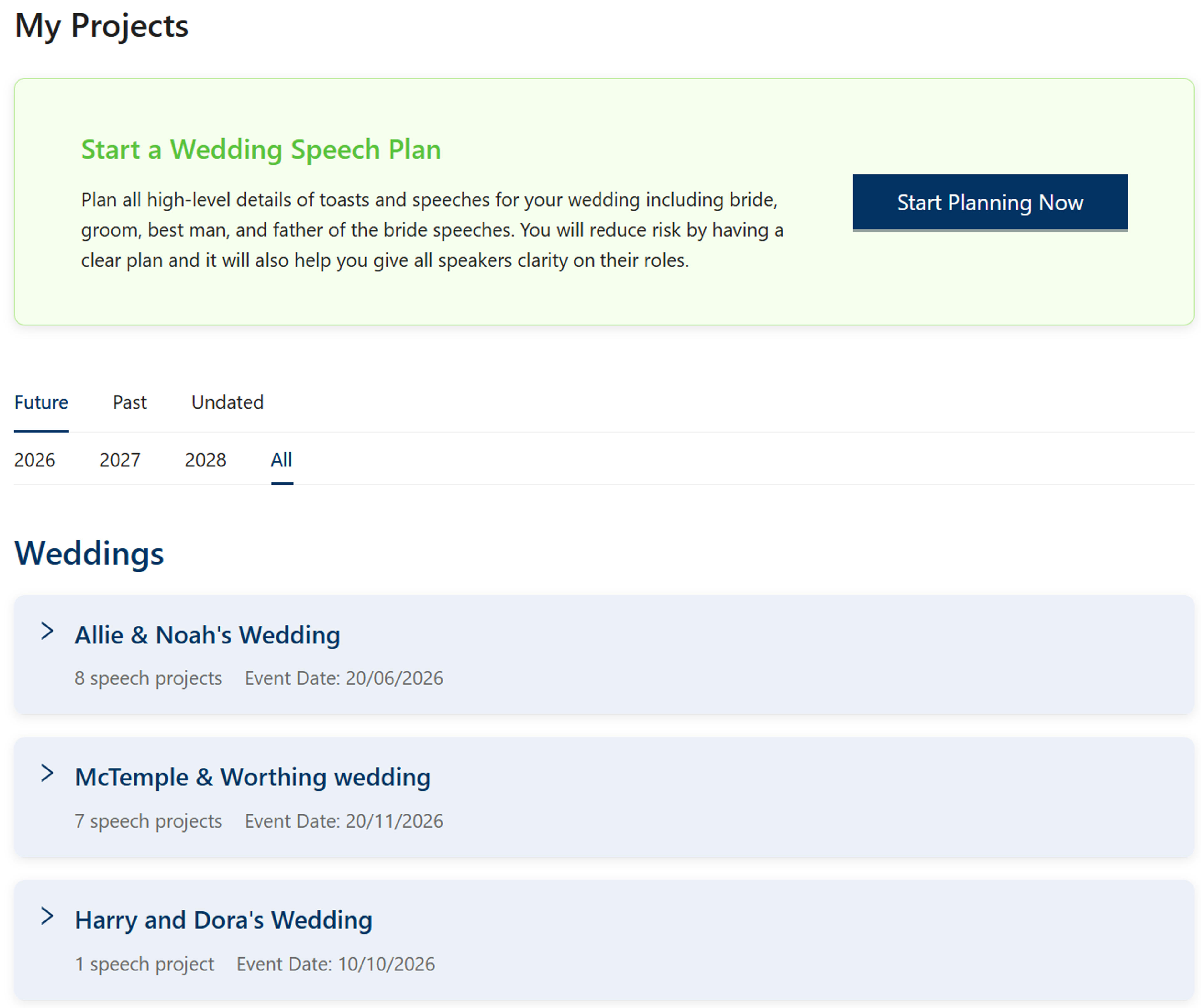
Your central hub for managing all wedding speech projects. Organize projects by occasion, filter by date, assign speakers, track progress, and access all your planning tools from one convenient location.
Key Features
Filter by Period and Year
Use the filter tabs to view Future, Past, or Undated projects. Filter by specific years to focus on upcoming or historical events. The current year and two future years are available for future projects, while past projects show the current year and two previous years.
Grouped Projects
All projects are organized by occasion or event group. Each group contains multiple speech projects and can be expanded to view detailed information about individual assignments.
Speech Planning Card
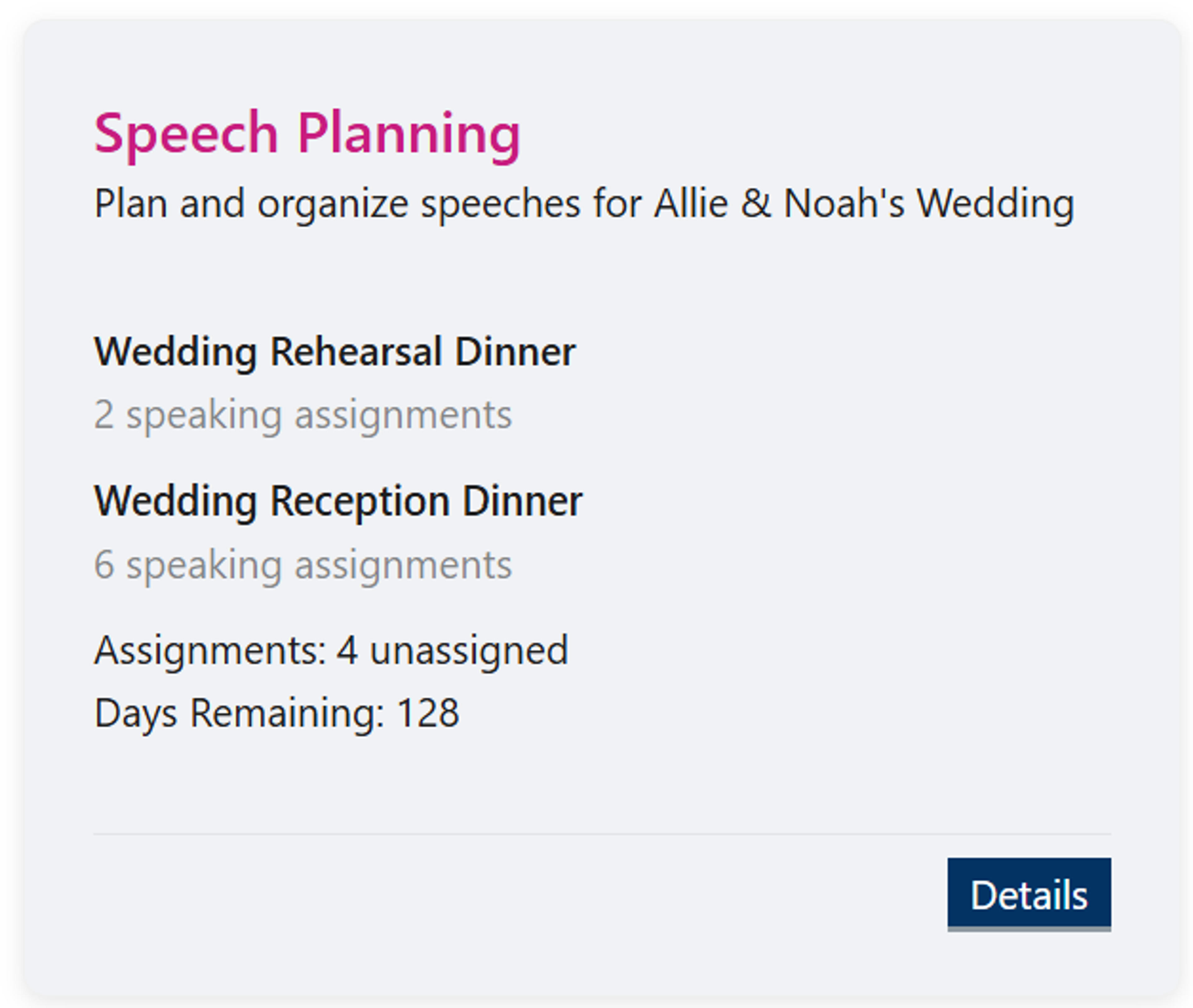
Each group includes a Speech Planning card that provides an overview of all events, speaking assignments, unassigned projects, and days remaining until the event. This gives you a quick snapshot of your planning status.
Individual Project Cards
Each speech project has its own card showing status, assigned speaker, and quick actions. From these cards, you can assign or reassign speakers, view project details, and track progress.
Group View and Speech Planning Card
When you expand a group, you'll see a comprehensive view of all projects within that occasion. The Speech Planning card provides essential information at a glance:
Event Information
View all events within the group (e.g., Wedding Rehearsal Dinner, Wedding Reception Dinner) along with the number of speaking assignments for each event.
Assignment Status
See how many assignments are currently unassigned, helping you identify which speakers still need to be assigned to projects.
Days Remaining
Track the countdown to your event date, helping you prioritize and manage timelines effectively.
Individual Speech Project Cards
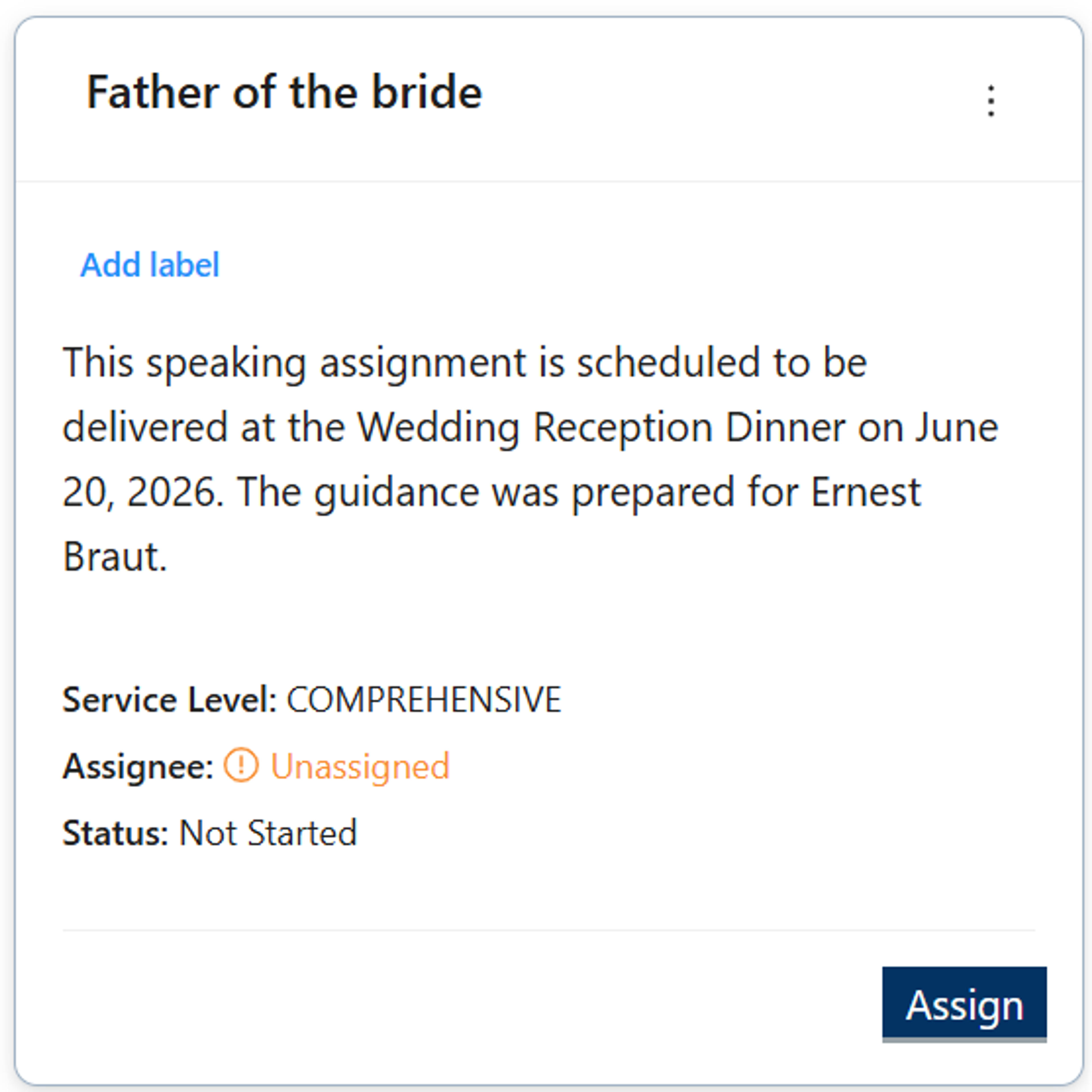
Each speech project is displayed as its own card within the group. These cards provide detailed information and quick actions for managing individual projects.
Project Status
Each card displays the current status of the speech project, allowing you to quickly see which projects are in progress, completed, or pending assignment.
Speaker Assignment
View the assigned speaker for each project, or identify unassigned projects that need attention. Use the card actions to assign or reassign speakers easily.
Quick Actions
Access project-specific actions directly from the card, including assignment management, viewing project details, and navigating to related planning tools.
Assigning Speakers
From the individual project cards, you can assign or reassign speakers to speech projects. This process is simple and email-based, allowing you to quickly distribute assignments to your speakers.
Learn more about assigning speech projects →Quick Navigation