
Edit Speech Plan
Keep your wedding speech planning flexible and up-to-date. Edit event dates and venues, and update participant names when plans change. Perfect for situations like when the intended Best Man becomes unavailable and needs to be switched to another person.
Accessing Edit Speech Plan
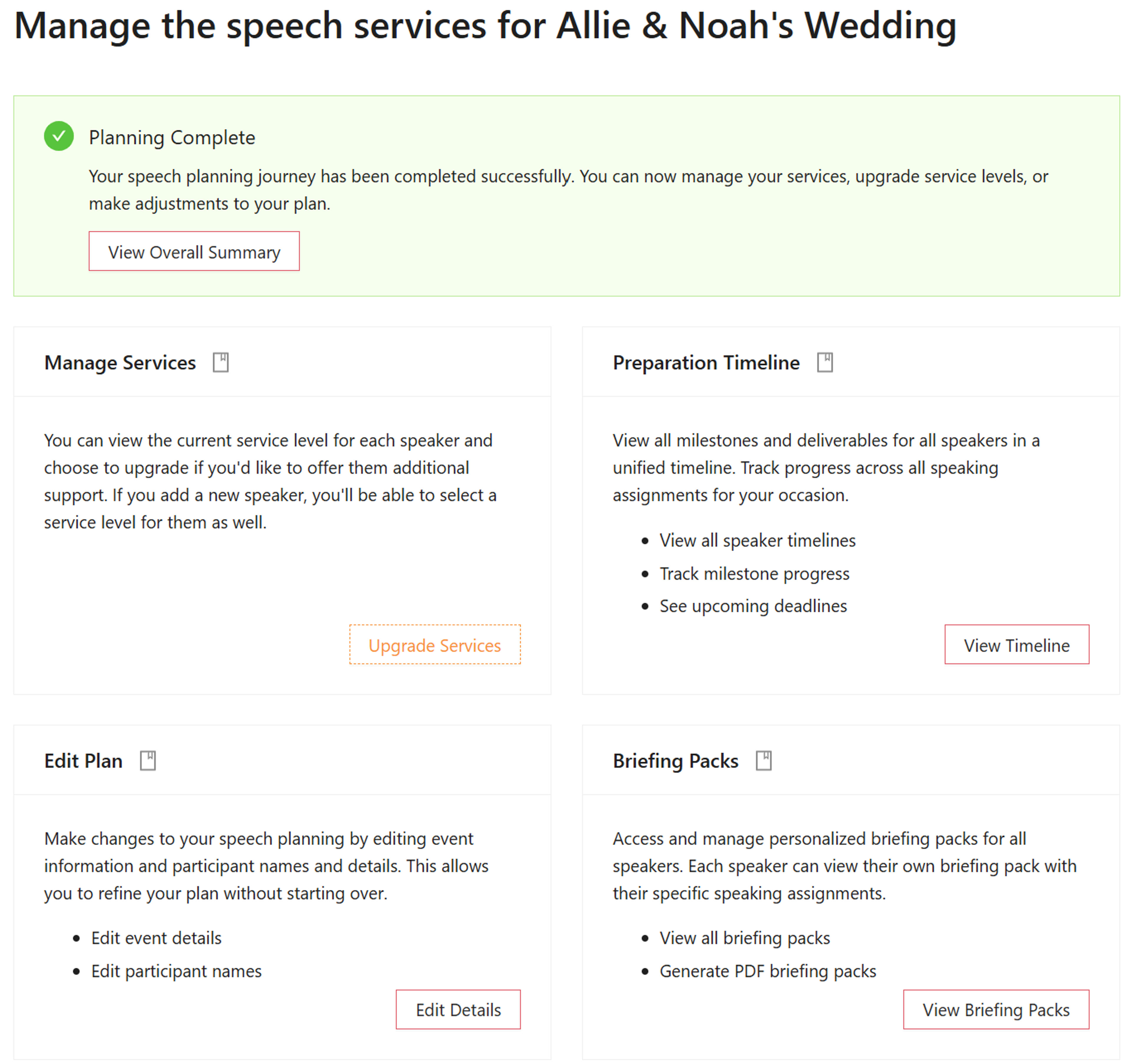
From the Manage Services Screen
The Edit Speech Plan functionality is accessible from the Manage Services screen. This is the central hub where organizers can access all management features for their speech planning.
From the Manage Services page, you can navigate to the Edit Speech Plan section, which provides two main editing capabilities:
- Edit event dates and venues
- Edit participant names (role players)
Editing Event Dates and Venues
Update Event Information
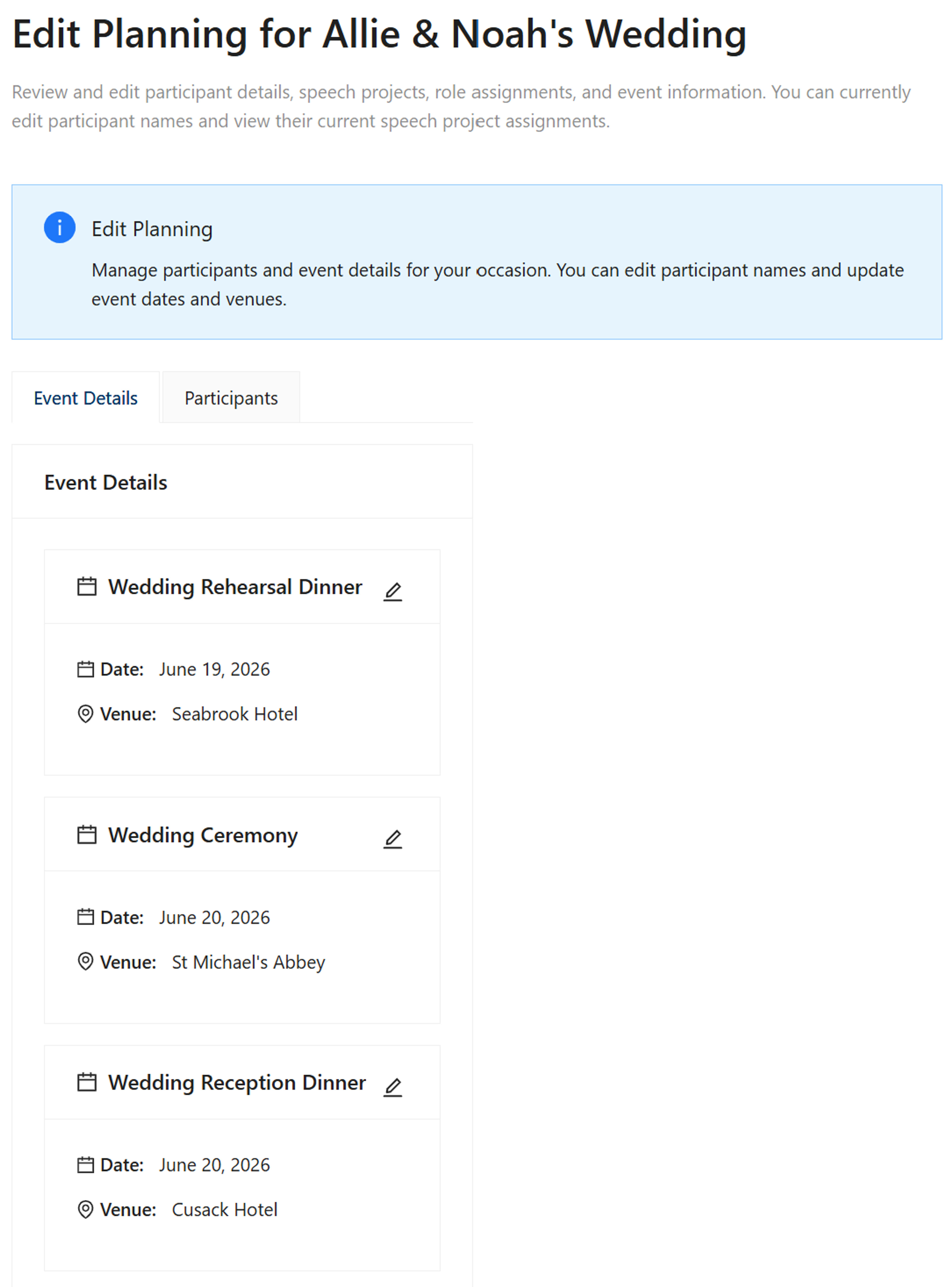
Life happens, and wedding plans can change. The Edit Speech Plan feature allows you to update event details such as:
- Event Dates: Change the date of events like wedding receptions, rehearsal dinners, or other ceremonies
- Event Venues: Update venue information when locations change
This is particularly useful when:
- Venue bookings change
- Event dates need to be rescheduled
- Multiple events need date or location updates
Date Management
Easily update event dates with a simple date picker. All related timelines and reminders automatically adjust to reflect the new dates.
Venue Updates
Update venue information for any event. Changes are immediately reflected in briefing packs and other planning documents.
Automatic Updates
When you update event information, all related materials including briefing packs and summaries are automatically updated.
Editing Participant Names
Update Participant Information
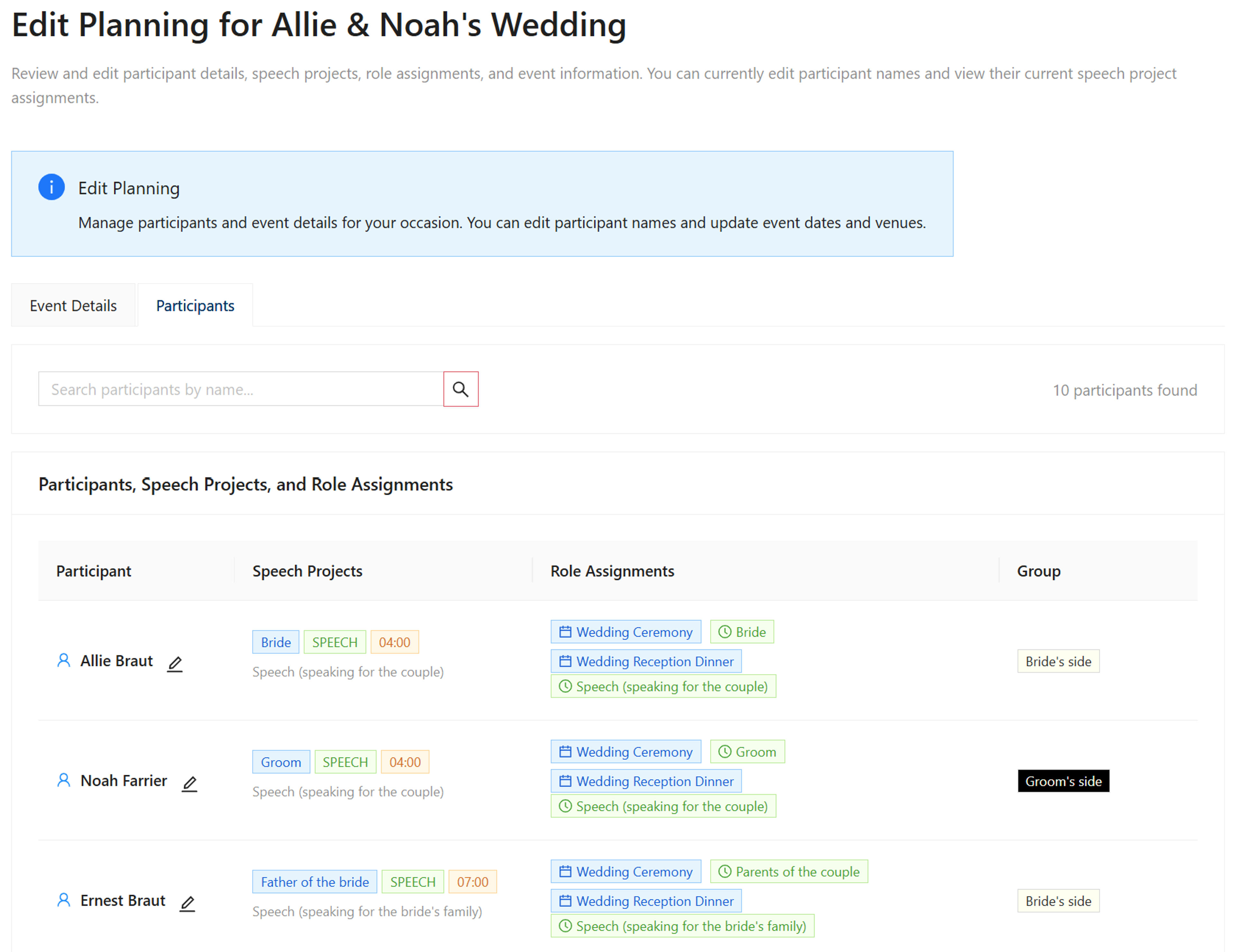
The Edit Speech Plan feature allows you to edit the names of participants (role players) in your speech plan. This is essential when:
- Role Changes: The intended Best Man, Maid of Honor, or other key speaker becomes unavailable
- Name Corrections: You need to correct spelling or update participant names
- Reallocation: You need to switch a role to another person
Important Note: Editing participant names is one step in reallocating a project to another speaker. The other step is to reassign the project to them using the Assign Speech Project functionality.
Simple Editing
Click the edit icon next to any participant name to update it. Changes are saved immediately and reflected across all planning documents.
Role Reallocation
When a speaker becomes unavailable, you can edit their name to the replacement person and then reassign the project to them.
Immediate Updates
Participant name changes are immediately reflected in all related planning materials, briefing packs, and summaries.
Common Use Case: Changing the Best Man
Scenario
The intended Best Man becomes unavailable and needs to be switched to another person. Here's how the Edit Speech Plan feature helps:
Solution
- Navigate to Edit Speech Plan from the Manage Services screen
- Go to the Participants tab
- Edit the Best Man's name to the new person's name
- Reassign the Best Man's speech project to the new person using Assign Speech Project
Benefits of Edit Speech Plan
Flexibility
Adapt your speech plan as circumstances change without starting over from scratch.
Time Saving
Make quick updates to events and participants without disrupting your entire planning process.
Automatic Synchronization
All planning documents, briefing packs, and summaries automatically reflect your changes.
Easy Role Reallocation
Quickly switch roles between participants when plans change, such as when a Best Man becomes unavailable.
Centralized Management
Access all editing functionality from one convenient location in the Manage Services screen.
Real-time Updates
Changes are saved immediately and visible to all authorized users of the speech plan.
Quick Navigation